

Simple, Lightweight Video & Audio Player
Overview
Video Audio Player is a straightforward multimedia solution designed for users who prioritize simplicity and efficiency in media playback. Built for both video and audio files, it offers a minimalistic approach to media consumption without unnecessary complexity. The software supports a broad range of file formats, including MP3, WMV, and MPEG, enabling seamless playback across diverse media types. Its lightweight nature ensures smooth operation even on older or less powerful systems, making it suitable for everyday use across personal and professional environments.
The target audience includes casual users, students, and professionals who frequently access multimedia content but do not require advanced editing or playback features. It is particularly useful for individuals who value quick startup times and low resource consumption. While the developer, Arnold A. Howe, did not provide additional background information, the software’s release date of August 24, 2006, indicates a long-standing presence in the desktop application space. Real-world usage scenarios include listening to music, watching short clips, or reviewing multimedia files during work or study sessions.
Key Features & Capabilities
- Wide Format Support: The player handles multiple audio and video formats such as MP3, WMV, and MPEG, allowing users to play media files without needing additional codecs or converters.
- Lightweight Design: With a file size of just 2.4 MB, Video Audio Player consumes minimal system resources, ensuring fast loading and stable performance even on older hardware.
- User-Friendly Interface: The clean layout and intuitive navigation make it accessible to users of all experience levels, reducing the learning curve for new users.
- Basic Playback Controls: Essential functions like play, pause, and stop are clearly labeled and easily accessible, enabling smooth media control.
- Limited Visual Feedback: The software does not display the title of the currently playing file, which may cause confusion during playback, especially when managing multiple files.
These features collectively support efficient media playback in everyday workflows. For example, a student can quickly play lecture recordings in MP3 format, while a professional may use it to review short video clips without system lag. The absence of advanced features aligns with the app’s core philosophy: delivering reliable playback with minimal overhead.
User Interface, Workflow & Performance
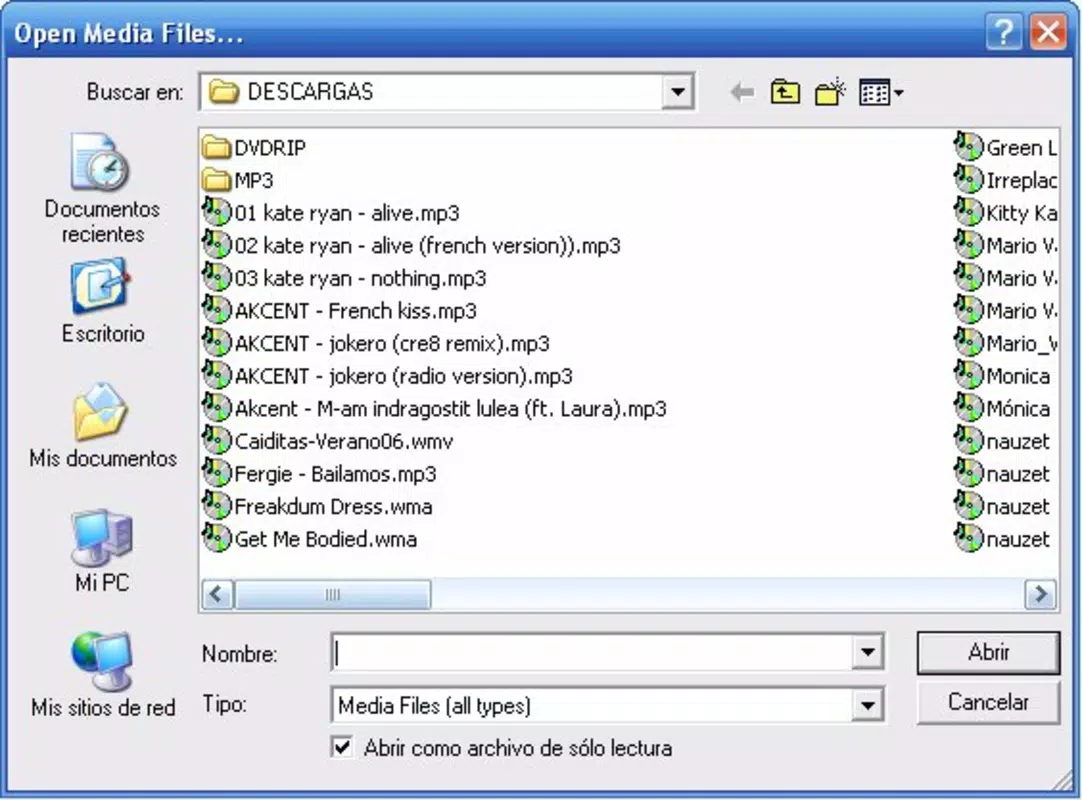
The user interface of Video Audio Player is designed around simplicity, featuring a compact layout with essential playback controls positioned prominently. Navigation is straightforward, relying on basic menu options and file browsing, which allows users to load media files with minimal steps. The workflow is optimized for speed and ease, making it ideal for users who want to start playback immediately after opening the application.
Performance observations are based on general software behavior patterns. The developer did not specify resource usage details, but the lightweight design suggests efficient CPU and RAM utilization. The application launches quickly and maintains stable operation during playback. No reported issues with crashes or freezes were mentioned in the available information. However, users may notice limited visual feedback, particularly due to the absence of a title display during playback, which could affect awareness of the active file.
Compatibility & System Requirements
Video Audio Player is compatible with both Windows and Mac operating systems, offering cross-platform accessibility. The software version is 1.0.1, with a file size of 2.4 MB, indicating a compact installation footprint. The developer did not provide additional system requirements, so exact hardware specifications such as RAM or processor details remain unspecified.
Compatibility information was partially provided. While the software is known to run on Windows and Mac, details about specific OS versions (e.g., Windows 10, macOS Monterey) were not included. Users should verify functionality on their specific system configuration. The small file size suggests it can run on devices with limited storage, but no performance benchmarks were shared.
Pros and Cons
Pros
- Supports a wide range of audio and video formats
- Extremely lightweight with minimal system impact
- Simple and intuitive interface for all user levels
- Fast startup and responsive playback
- Free to download and use
Cons
- Lacks a visible title display for currently playing files
- No advanced playback features like playlists or equalizers
- No information on system requirements or updates
- Limited visual feedback may disrupt user experience
- Release date indicates it has not been updated in years
FAQ Section
Is Video Audio Player compatible with Windows and Mac?
Yes, the software is compatible with both Windows and Mac operating systems, as stated in the provided information.
Is the software safe to download and use?
Based on the available data, the software is presented as a legitimate desktop application. However, users should ensure downloads come from trusted sources, especially given the software’s age and lack of recent updates.
Does Video Audio Player require an internet connection?
The software does not require an internet connection for basic playback functions. It operates entirely offline once installed.
Can I update Video Audio Player?
There is no information provided about update mechanisms or availability. The release date of 2006 suggests the software may not receive future updates.
What types of files can I play with Video Audio Player?
The player supports multiple formats including MP3, WMV, and MPEG, enabling playback of common audio and video files without additional software.
Final Thoughts + CTA
Video Audio Player remains a functional choice for users seeking a no-frills, lightweight solution for media playback. Its simplicity, broad format support, and minimal resource usage make it a reliable tool for basic audio and video consumption. While it lacks modern features like title display and playlist management, its core purpose is fulfilled efficiently. The absence of updates and limited system details may raise concerns for some users, but its free status and straightforward design continue to offer value.
For individuals who prioritize speed, low system impact, and ease of use over advanced functionality, this software delivers consistent performance. It is especially suitable for older devices or users who avoid complex media applications.
Download Video Audio Player now


